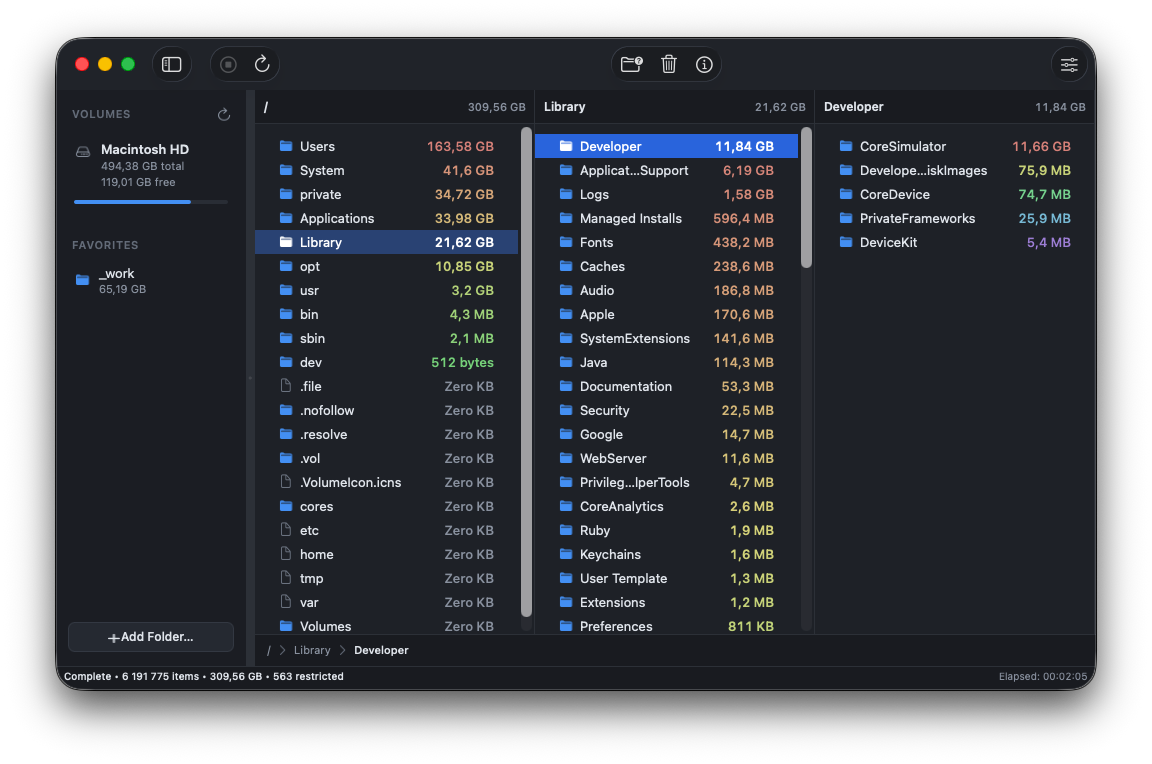
“Other: 214 GB” is not an answer. 🙃 DiskPeek gives you the real one, and it starts answering before the scan has finished.

Same drive, same 6.2 million files. Time to a complete answer.
And DiskPeek is browsable from the first second. The others make you wait for the bar to finish.
Free to scan, paywall to delete, trial that becomes a subscription. No thanks.
Click into a folder a second after you hit scan. The numbers climb underneath you.
It vanishes from the tree and every total above it corrects itself. Instantly.
Arrows move the columns, typing jumps to a file, ⌘1 to ⌘9 scan your volumes.
Go as deep as you like and still see the path you took. Nothing new to learn.
Real allocation first. And it admits when APFS will not give back what you delete.
Every disk scanner asks for your whole drive. This one only ever sees what you hand it, and macOS is what enforces that.
About the price of a coffee. No subscription, no trial that expires into one, no paywall when the scan finds something big.
macOS 14 or later · Apple silicon and Intel
Sandboxing is macOS keeping the app in a box it cannot climb out of. It sees the disks you grant it and nothing else, and that is enforced by the system, not promised by me.